Preferences → Settings opens the settings window: switch groups on the left, edit individual options on the right, then click Apply to save or Cancel to discard.
Global is application-level; the other groups are saved per workspace. Each workspace (one DataSource) has its own configuration: if workspace A is set to show 200 rows, workspace B keeps whatever you set for B — the two never affect each other.
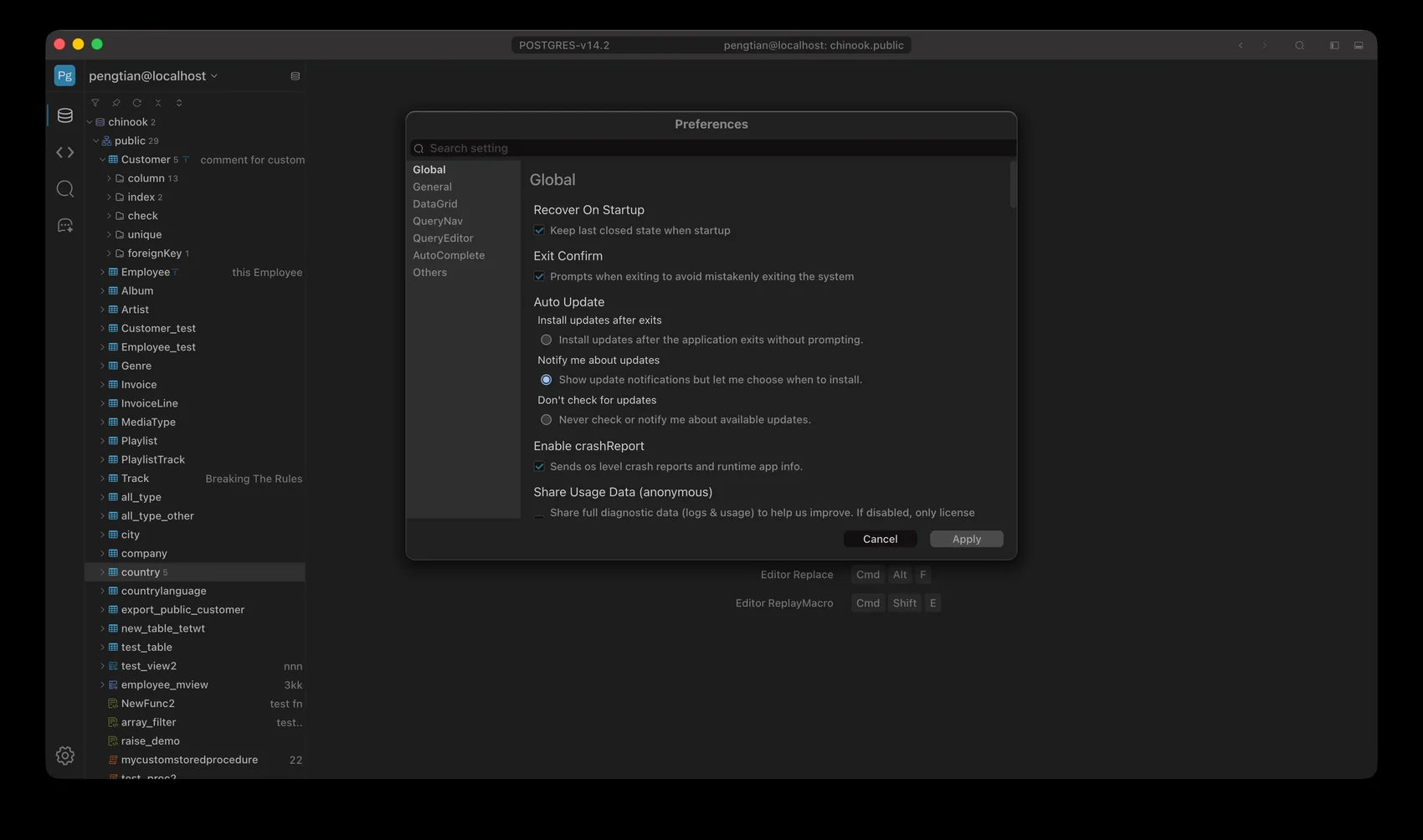
Preferences: groups on the left, options on the right
Global
| Option | Description | Default |
|---|
| Recover On Startup | Keep last closed state when startup | On |
| Exit Confirm | Prompts when exiting to avoid mistakenly exiting the system | On |
| Auto Update | — | Notify me about updates |
| Enable crashReport | Sends os level crash reports and runtime app info. | On |
| Share Usage Data (anonymous) | Share full diagnostic data (logs & usage) to help us improve. If disabled, only license validation data is sent and no other data | On |
DataGrid
| Option | Description | Default |
|---|
| Auto Focus | If this value is true, it will try to get focus when opened. | Off |
| Display Limit | Whether to display the cell to limit the number of display, if not will slow down the rendering speed | On |
| Cell Max display limit | Maximum number of characters to be displayed in a table cell | 1024 character |
| Show Style By Data Type | Display data color by data type | On |
| Page Data Limit | When Pageing max result size | 200 rows |
| Filter Data Limit | Quick filter max result size | 200 rows |
| Maximum Load Data Limit | Limit the maximum amount of data returned by a load query | 1000000 rows |
| Default Filter Sort Type | — | Desc |
| Enable columnCons Color | Display column constraints color | On |
| Enable Replace Char when display | — | Newline, Tab, Last Space |
| Escape Null | Escape Null Value To | NULL |
| Escape Empty | Escape empty string Value To | EMPTY |
| Clob/Blob display limit | Setting Thresholds,Shorten longer hex/text data to show headers and footers for easier understanding | 50 character |
| Detect Text Value | Detect Binary Data to Text Value | On |
| Detect File Type | Detect the file type, if it is an image type it will be previewed. | On |
| Max Edit Cell Length | Maximum number of characters to be edited in a table cell | 10 KB |
| Max Copy Cell Length | Maximum number of characters to be copied in a table cell | 20 MB |
QueryNav
| Option | Description | Default |
|---|
| Query File Data Show Type | — | Display All File |
| Auto Add Not Exists | When add by schema,create on not extis | On |
| Allow Hidden Root | When on, if there is only one root node, it will be hidden. | Off |
Query Editor
| Option | Description | Default |
|---|
| Enable Soft Tabs | If true will convert tabs to spaces | On |
| Soft Tab length | Convert tab to how many spaces | 4 |
| SqlEditor Font Size | You can adjust this value to increase or decrease the SqlEditor size of the font, and the units support decimals. | 1 em |
| Auto Save Timeout | When the file is modified, it will be completed within this time and saved only once. | 2000 ms |
| Auto Focus on Open | If this value is true, it will try to get focus when opened. | Off |
AutoComplete
| Option | Description | Default |
|---|
| Enable Add Space | Whether to automatically add spaces after keywords | Off |
| Keywords Case | — | Auto |
| Enable Doclet | Controls whether or not a doclet reminder pops up | On |
| Enable Auto Alias | Enable to add an alias prompt after entering a table name | On |
| Disable Auto Complete | Disable auto-complete,no prompt when typing SQL in SqlEditor | Off |
Others
| Option | Description | Default |
|---|
| SearchIn Max Data Size | Maximum number of records displayed for in-table search | 100 |
