
Query History
Every statement you run is recorded in the history of the current workspace. Open the history window from Tools → Show Query History to browse by time, search, and page through the records.
Open
- Menu bar Tools → Show Query History (top of the screen on macOS, in the window menu on Windows / Linux).
- You can also open it from the editor command
Show Query History.
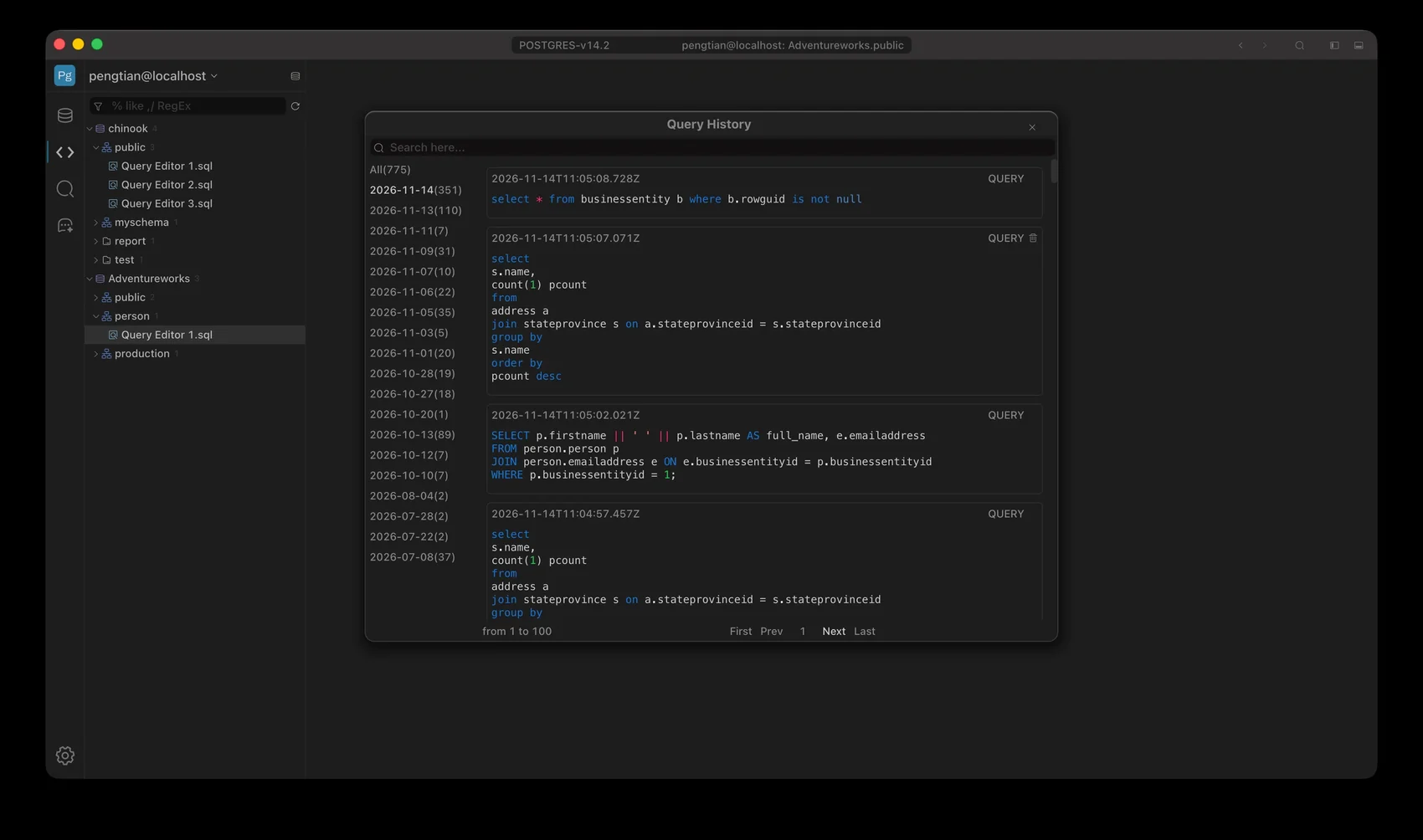
Query History: dates on the left, SQL and type on the right
Panel layout
| Area | Content |
|---|---|
| Top search | Filters by SQL content as you type |
| Left column | All and a list grouped by date; the count for each date is in parentheses |
| Right column | Each record: execution time, SQL, type tag (QUERY) |
| Bottom | from 1 to 100 plus First / Prev / Next / Last paging |
Click a date in the left column and the right column shows only that day’s records; click All to return to everything.
What a record shows
- Execution time: precise to the millisecond, for example
2026-11-14T11:05:08.728Z. - SQL: syntax-highlighted; long statements wrap onto multiple lines.
- Type: the tag on the right shows the statement type, for example
QUERY. - When execution fails, the error message appears in the record (in red).
Search and paging
- The search box filters SQL content with a
like '%keyword%'match. - 100 records per page; the current range is shown at the bottom, and you move between pages with
First/Prev/Next/Last. - History is read-only — it is there to review and copy, and never re-executes anything.
Storage
History is isolated per workspace. Each workspace sees only its own records; switching to another workspace does not show the previous workspace’s SQL, and you cannot view or search across workspaces.
History is stored in the .steelsql folder inside the current workspace directory, in SQLite format:
<workspace>/
└── .steelsql/
    ├── Session.db      ← session data such as query history (SQLite)
    ├── Session.conf
    ├── Setting.conf
    ├── Nav.conf
└── query/ ← SQL filesSession.dbis an ordinary SQLite database; history lives in itshistorytable.- Each workspace has its own
.steelsql, so histories are not visible to each other. - The actual workspace path depends on the
Workspace Root Pathsetting. - History is written locally only; it is never uploaded.
- To see the execution of the current tab only, use
Outputbelow the editor; use this window when you need to look up old statements across sessions.